![SA Seeking Alpha Logo - Main_W.svg]](https://help.seekingalpha.com/hubfs/SA%20Seeking%20Alpha%20Logo%20-%20Main_W.svg)
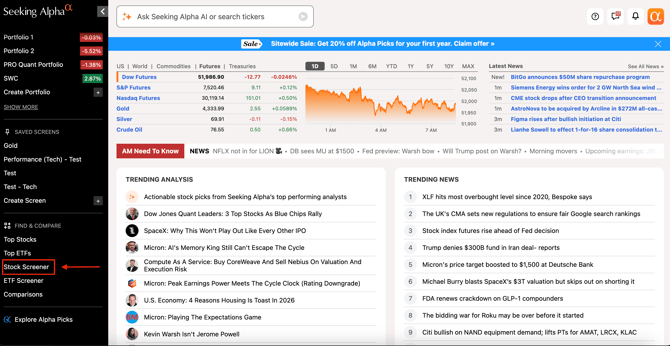
1. Click on "Stock Screener" on the navigation bar.
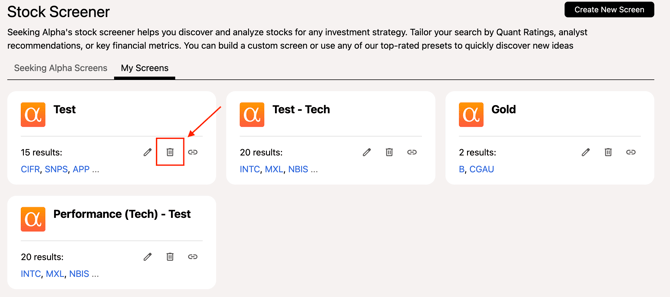
2. Click on "My Screens".

3. Choose the screen you wish to delete and click on the "Trash" icon to delete the screen.
Please email us at subscriptions@seekingalpha.com if you need any help.
If you haven't subscribed to Premium yet, you can unlock access to our subscriber-only features by signing up here.