![SA Seeking Alpha Logo - Main_W.svg]](https://help.seekingalpha.com/hubfs/SA%20Seeking%20Alpha%20Logo%20-%20Main_W.svg)
Seeking Alpha’s MCP allows you to connect to ChatGPT and Claude, so you can garner valuable insights - such as Quant, Analyst, and Factor grades - directly in your AI toolkit, powered by Seeking Alpha. See set up instructions below.
NOTE: it is recommended that you are signed in to your Seeking Alpha PRO subscription account before setting up the MCP.
ChatGPTGo to the "Plugins" page, then click "Create MCP App":
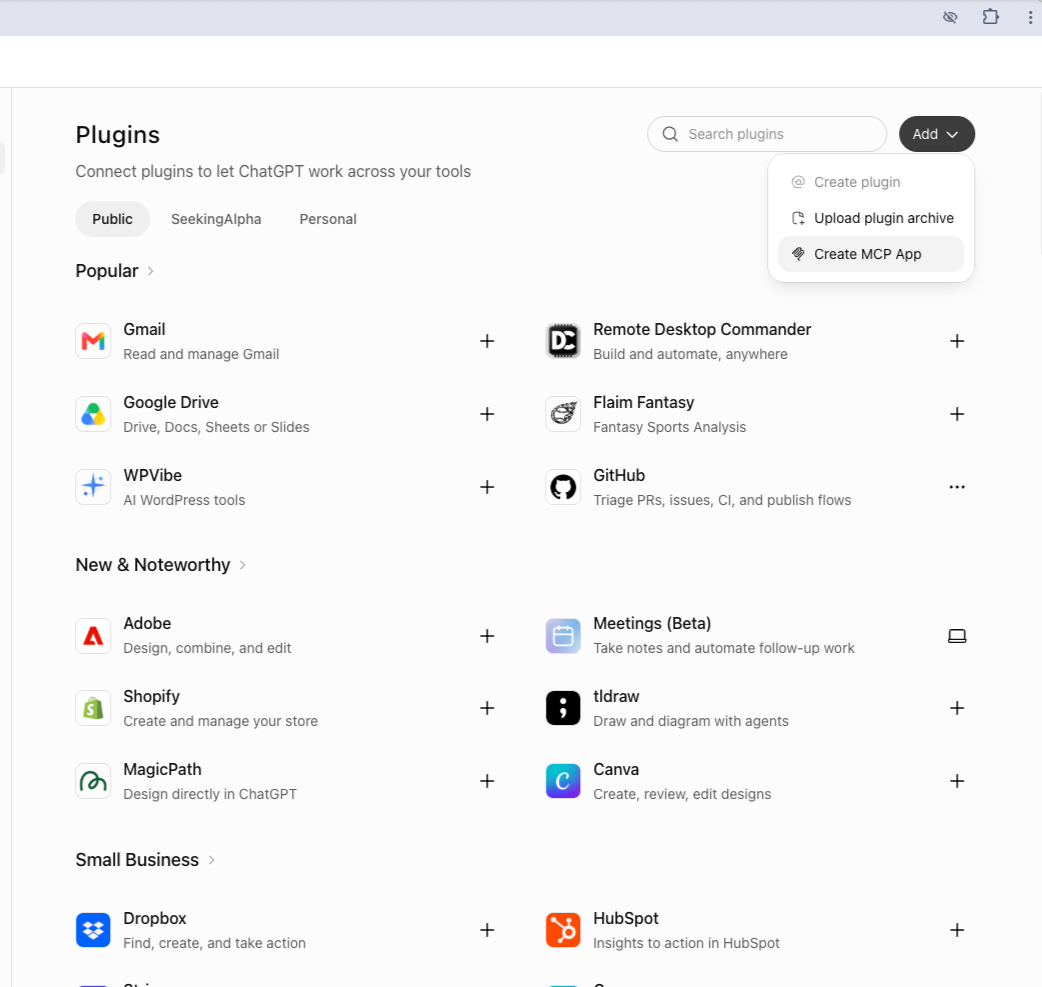
Then, fill in the fields. “Name” and “Description” (optional) can be anything.
- Connection (Server URL): https://seekingalpha.com/mcp
- Authentication: OAuth
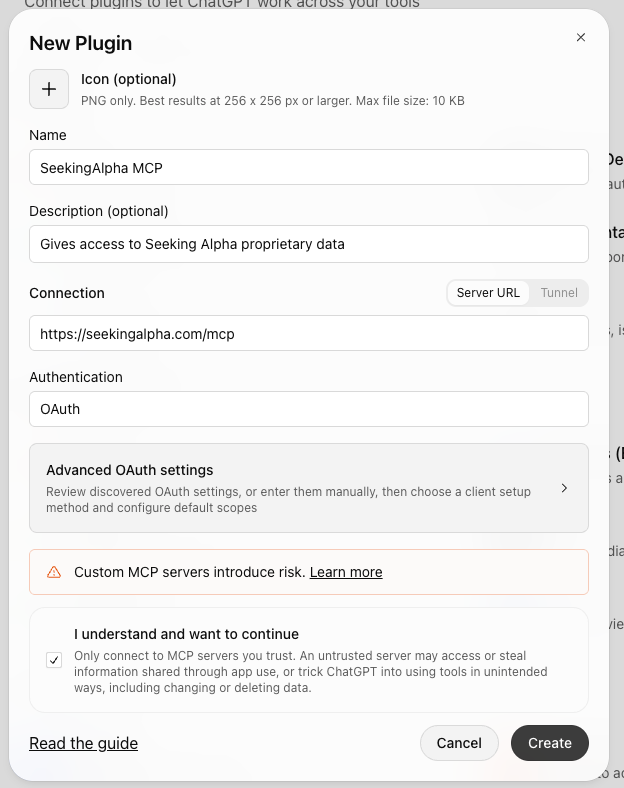
Then, hit “Create”.
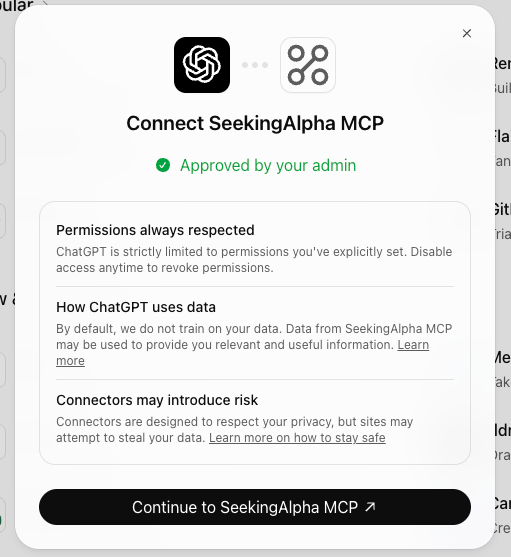
This will open the Seeking Alpha website with your account and ask you to Authorize the application. NOTE: this feature is only available to PRO subscribers.
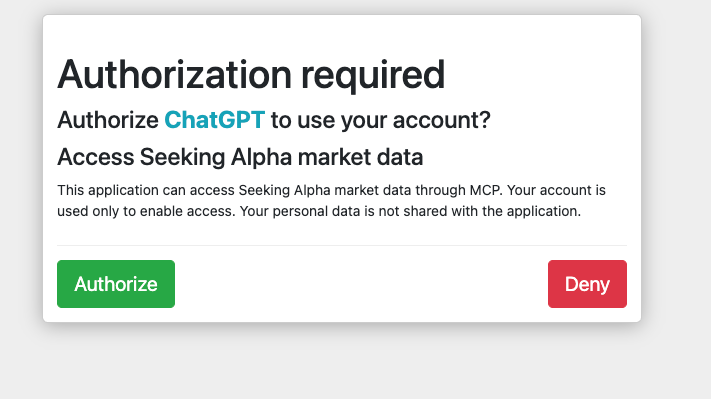
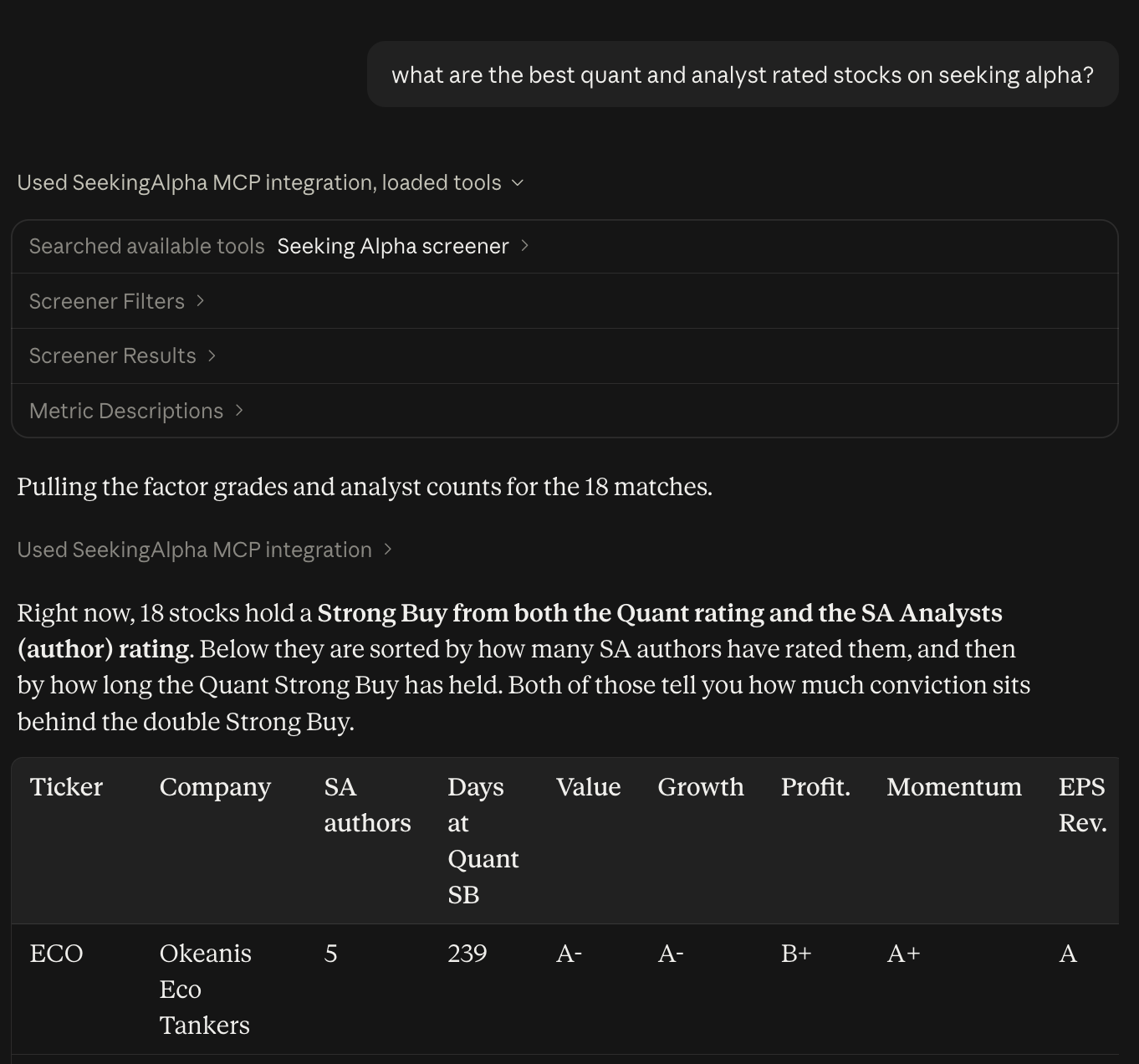
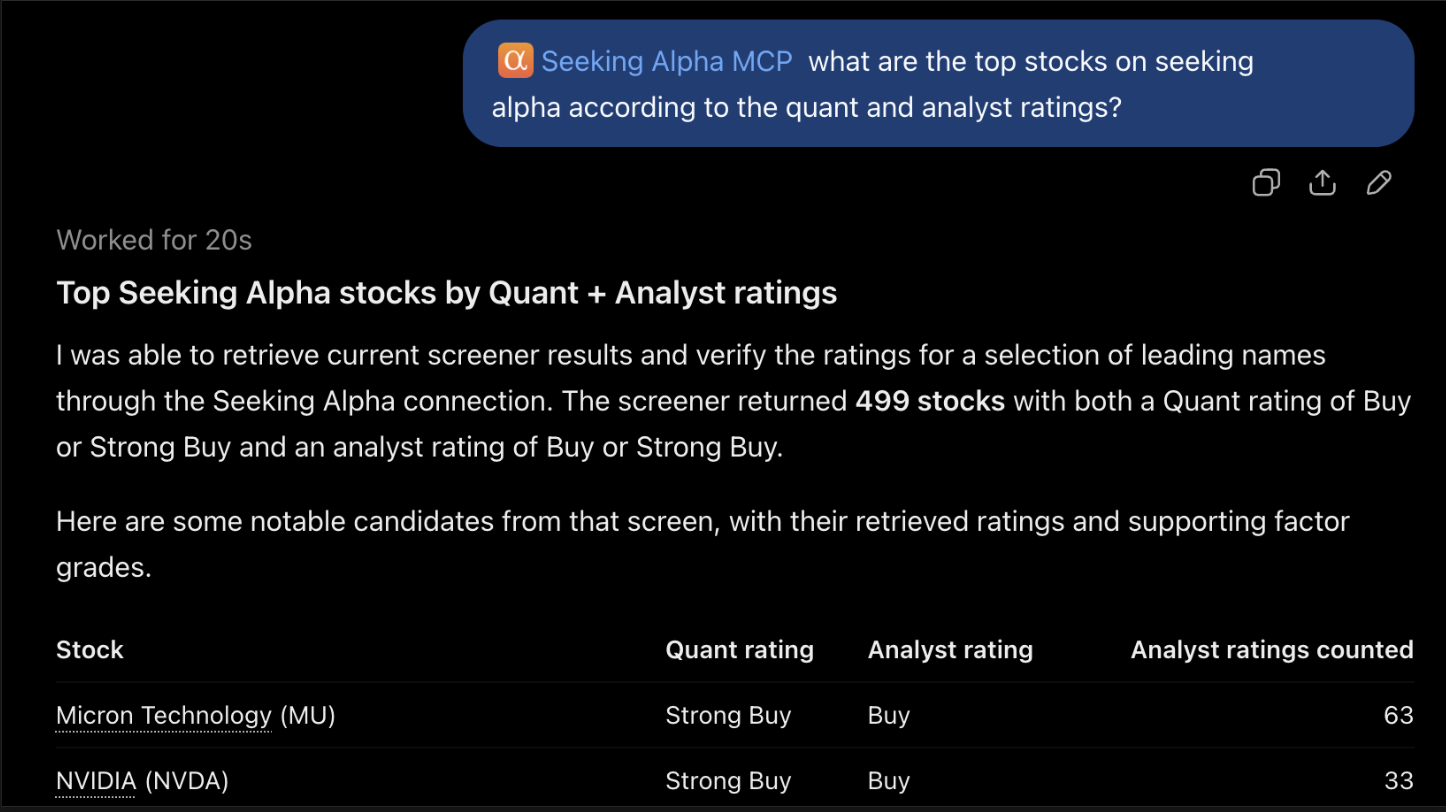
Once you hit “Authorize” you will be able to use Seeking Alpha’s MCP within ChatGPT:
Individual level MCP is configured here: https://claude.ai/customize/connectors
Organization level MCP is configured here: https://claude.ai/admin-settings/connectors
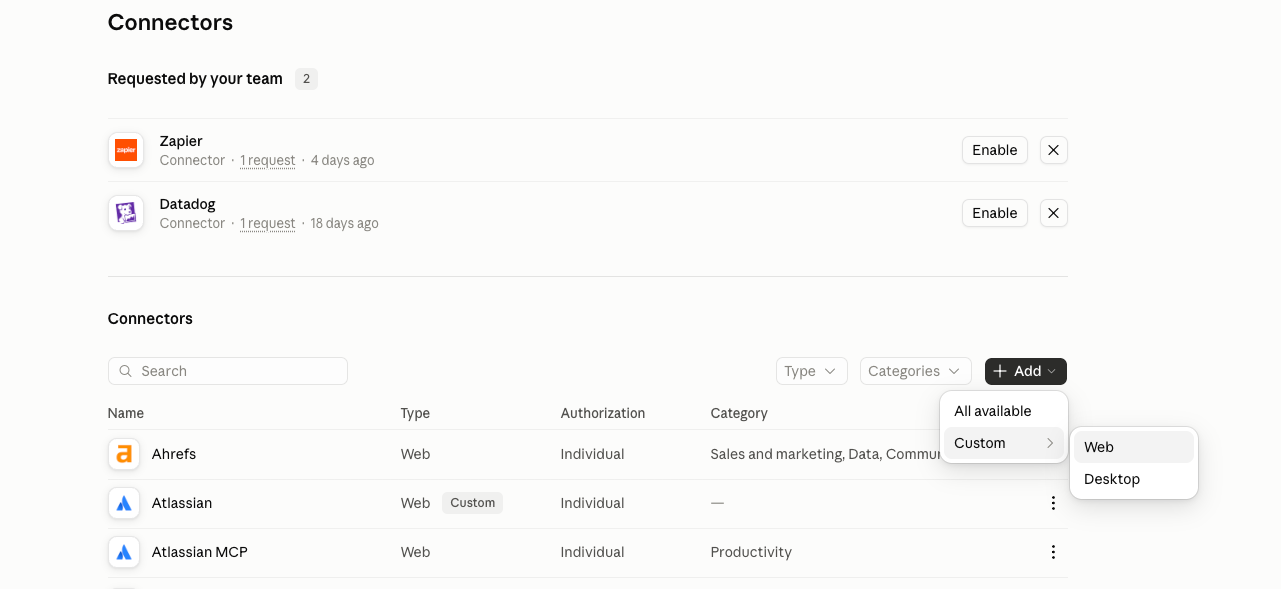
Once you’re on the right page, click on “+Add” then “Custom >”, then “Web”:
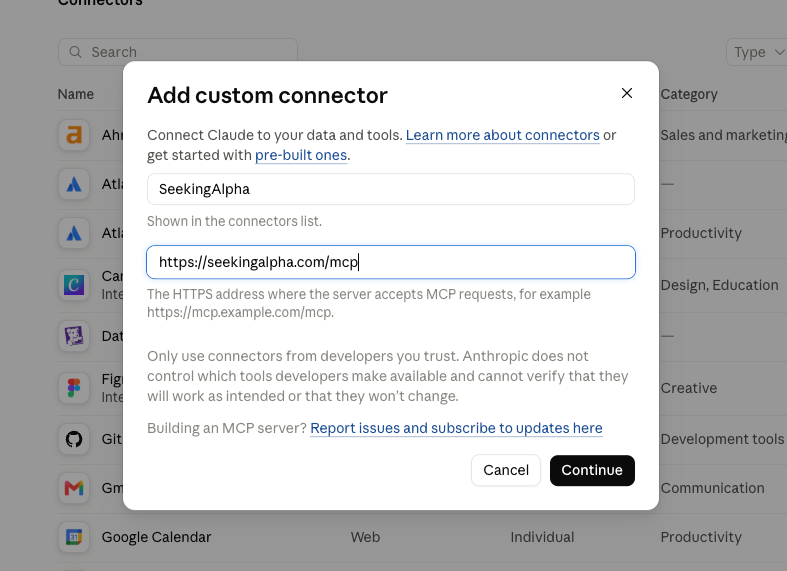
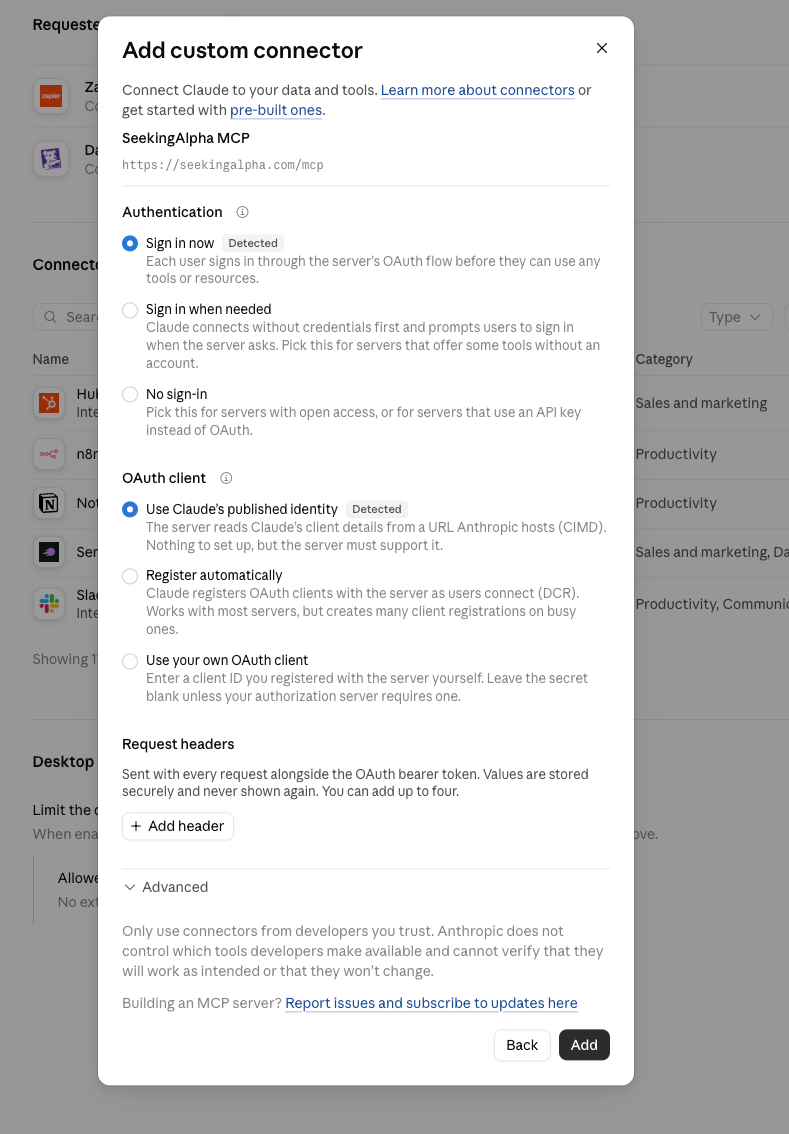
Fill in the name, which can be anything, and fill in the MCP address: https://seekingalpha.com/mcp, then click “Continue”:
Select the Authentication and OAuth client options, and click “Add”. Confirm on the next screen, then click “Add”
From there, click “Authorize”:
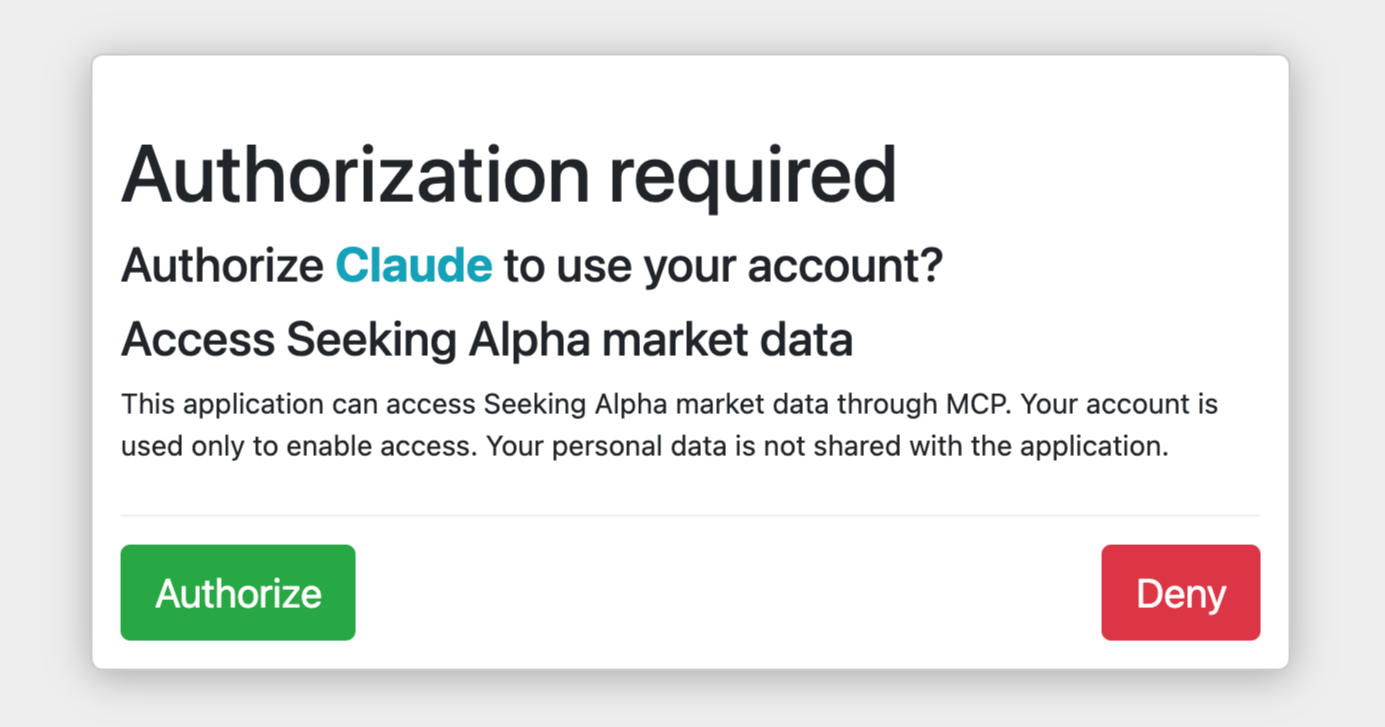
Once you hit authorize, you will be able to use Seeking Alpha’s MCP with Claude.
NOTE: once you enter a prompt, you may need to “Allow” access to the Seeking Alpha MCP. You may need to click “Allow” multiple times:
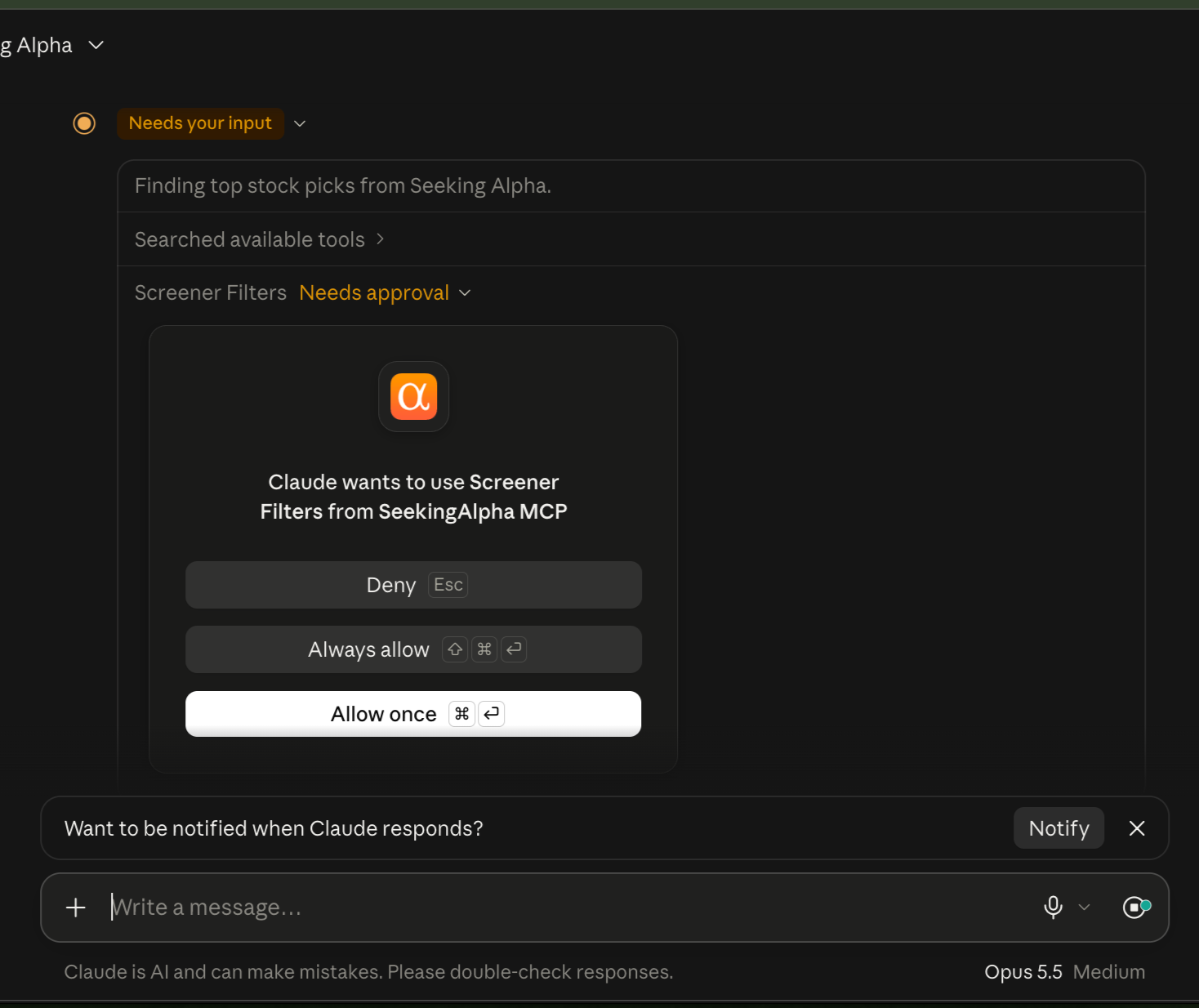
Here is an example of a question you can ask Claude using Seeking Alpha’s MCP: